Download Earth 3D : 3D Globe & Quiz free on android
APK file Earth3D 9.8.7How to install APK / APKS / OBB file on Android
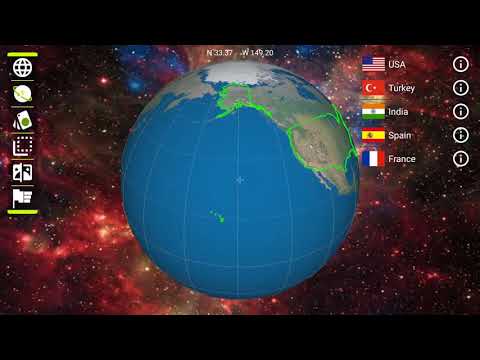

Keep the world close with Earth 3D. Turn the globe, zoom in, and tap any country that catches your eye. A quick look at its borders, flag, capital, and time zone can make a faraway place feel much more familiar.
Start with any question: Where is this country? Which nations share its border? What is its capital? Search for a country or time zone when you know where you want to go, or simply wander across the globe and map. Save places you want to return to as favorites and choose the view that feels best for you.
When you are ready for a challenge, try the flag, border, and capital quizzes or play flag bingo. They are a relaxed way to test what you remember and revisit countries that were harder to recognize. Earth 3D fits a geography study session, travel planning, or an unplanned moment of curiosity. On supported devices, you can also enjoy the globe in VR view. Follow your curiosity and see where it takes you.
- LicenseFree
- File nameEarth3D
- File Version9.8.7
- Package namecom.jmsys.earth3d
- Size50.68 MB
- UploadedSeptember 30, 2026
- Android6.0 or later

- CategoryEntertainment
- DeveloperDokon Jang
- Developer emaildocko@hanmail.net
- md5 hash508fb8443577fd8d93bde3992569f0aa
- Architecture-
- Permissionsshow (11)
